

Multi-model chat
Send one message to several models and compare responses side by side.
Instead of picking a single model, you can send the same message to several models at once and see each response side by side.
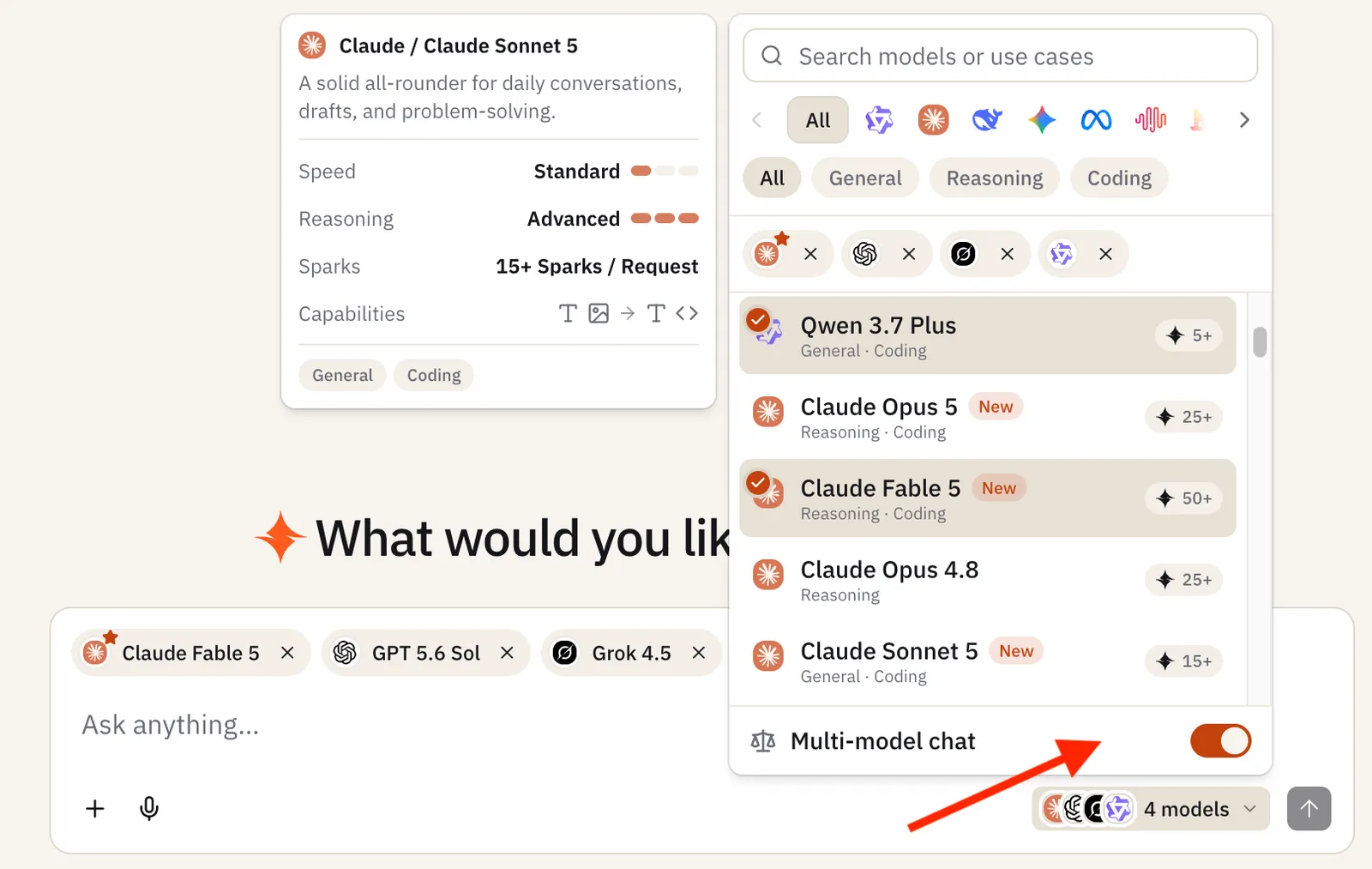
Turning it on
Open the model picker and toggle Multi-model chat. A comparison set of models is preselected by default whatever your workspace’s comparison models are set to and you can add or remove models from the set before sending.
Comparing responses
Each model gets its own column with independent controls:
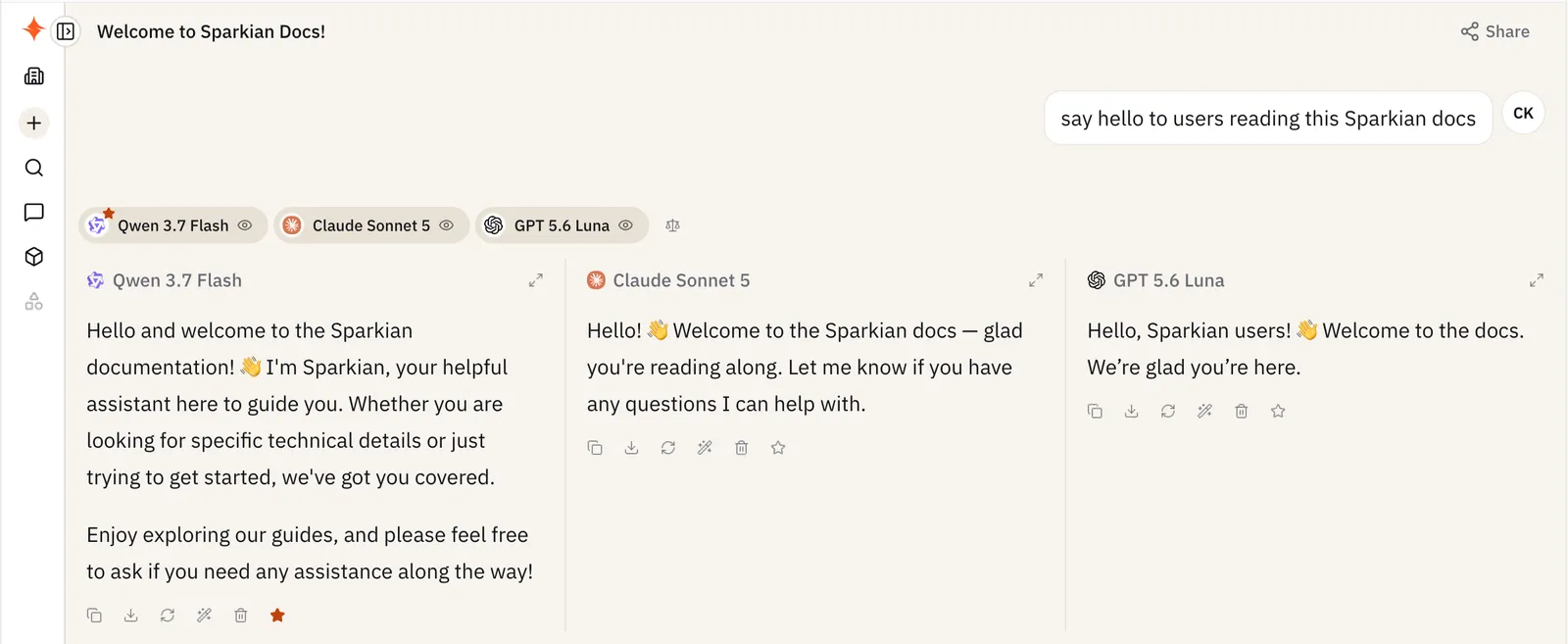
- Copy or Download a response individually
- Retry this model to regenerate just that response
- Delete response of specific model
- Hide response to collapse a column without removing it
- Expand to full width to focus on one response
- Compare with another model to add a model to the set mid-conversation
- Make this the primary response to designate which response the conversation continues from if you switch back to single-model chat
Each model in the comparison charges its own Sparks. These per-column actions are the multi-model version of the standard chat response actions.