

Web search and URL read
Let Sparkian pull in live information from the web.
Models don’t know about anything after their training cutoff, and can’t see a specific page you’re talking about unless you give it to them. Sparkian has two tools for that.
Automatic by default
You don’t need to turn these on for them to work. Sparkian looks at your query and decides on its own whether it needs fresh information from the web or the content of a specific page, and triggers the right tool automatically. A question like “what’s the latest AI news” triggers a web search on its own; pasting a link and asking about it triggers a URL read.
Turning a tool on manually
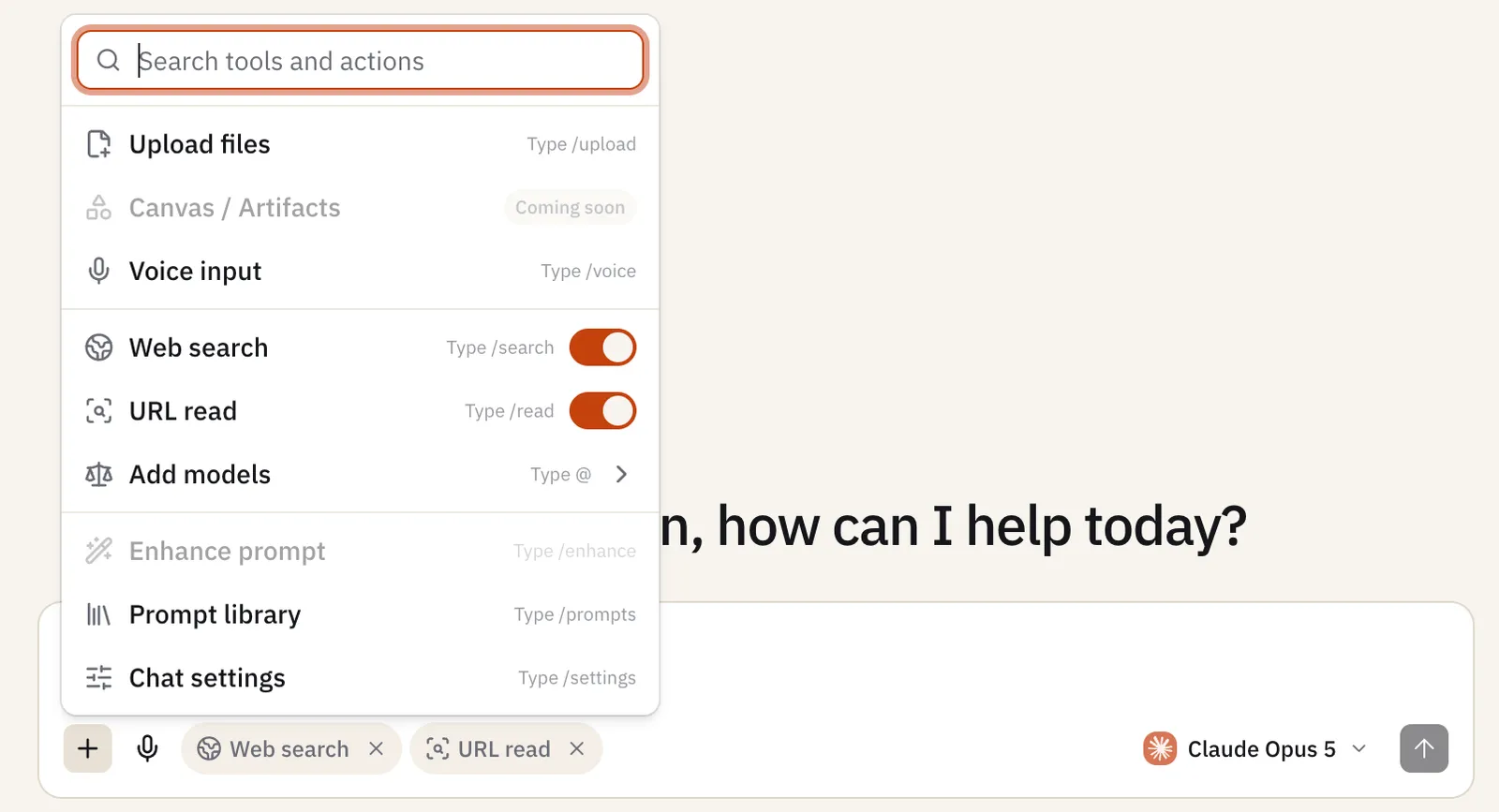
You can also force a tool on for the whole conversation from the + (Add tools and actions) menu:
- Web search — pulls in current information from the web instead of relying only on the model’s training data. Toggle it, or type
/search. - URL read — fetches and reads the content of a URL you share, so the model can answer questions about that specific page. Toggle it, or type
/url.