

Analytics
See how your workspace uses Sparkian.
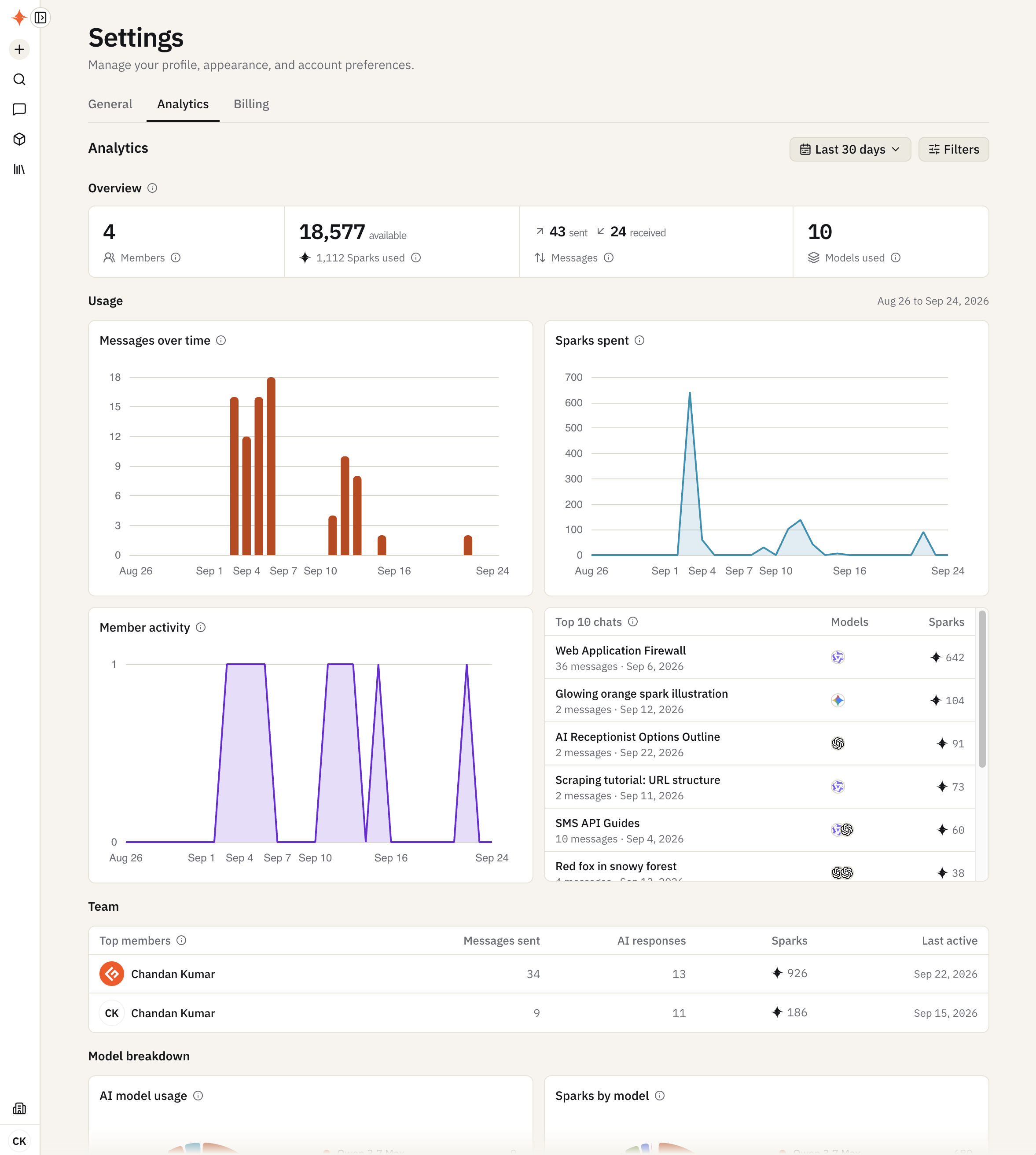
Open Settings → Analytics to see usage for your current workspace. By default it shows the last 30 days.
What you’ll see
- Overview — members, Sparks available and used, messages sent and received, and how many models were used
- Usage — messages over time and Sparks spent over time
- Member activity and Top 10 chats — who’s active, and which chats used the most Sparks (with message count, date, and models)
- Team — top members with messages sent, AI responses, Sparks used, and last active date
- Model breakdown — which models are used most, and which ones consume the most Sparks
- Workspace content — how many conversations, messages, projects, images, knowledge sources, artifacts, and attachments your workspace has
Filtering
Click Filters to narrow usage by date range (up to one year, in UTC), model, member, or project. Workspace totals stay unchanged.