
Canvas and artifacts
A dedicated, editable space for code and long-form content.
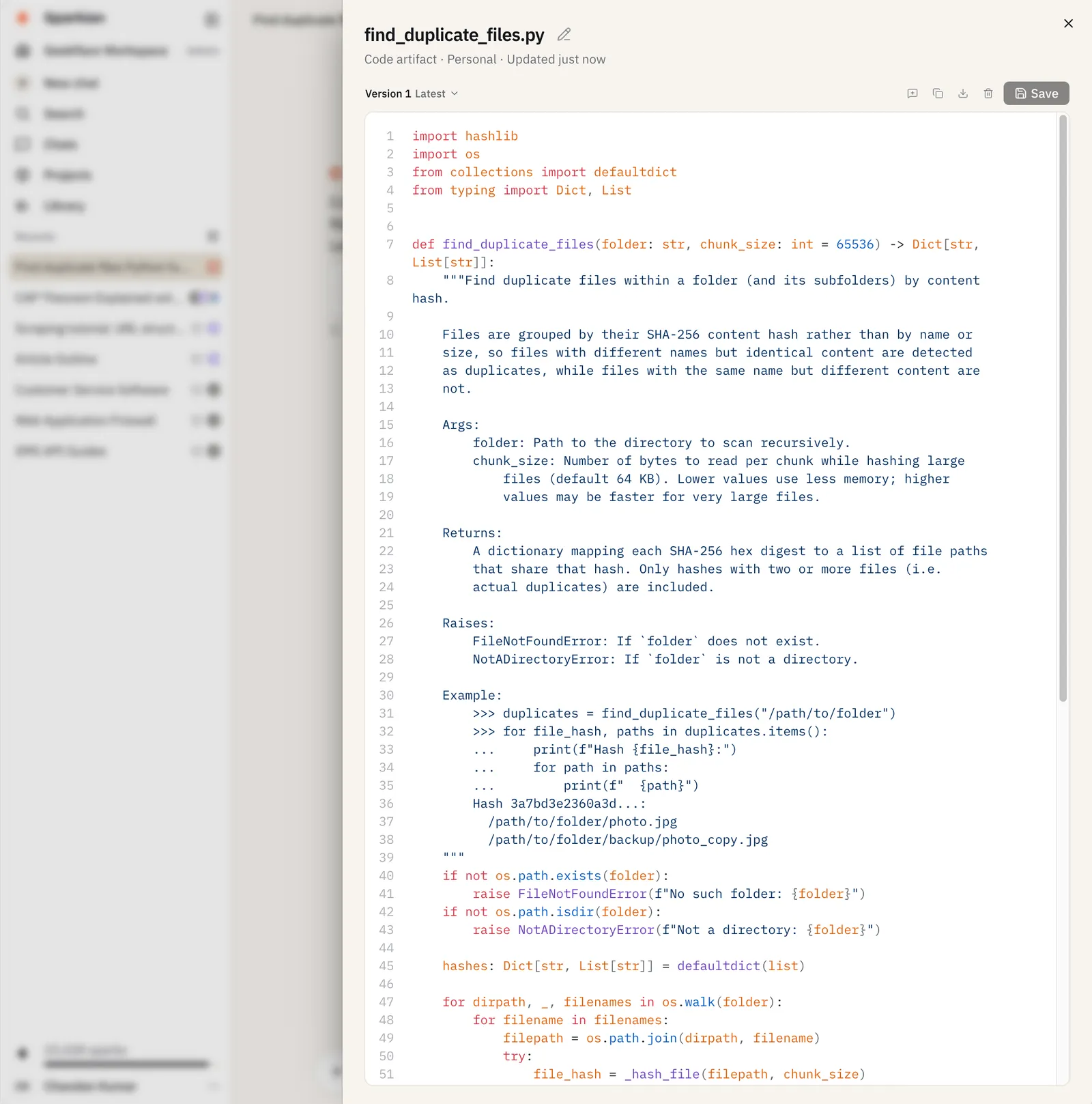
Canvas is a side panel for working with content that’s easier to read and edit outside the normal chat flow like code and long documents. Whatever you create or edit in Canvas is saved as an artifact in your Library.
Opening Canvas
Canvas opens automatically when a response is substantial enough to benefit from it, like code or a long document. You can also invoke it yourself: open the + (Add tools and actions) menu and turn on Canvas (or type /canvas) before sending your message.
Working in Canvas
- Edit the content directly, then Save to record a new version
- Choose artifact version to review or revert to an earlier version
- Use in chat to bring the artifact’s content back into the conversation
- Copy artifact or Download artifact
- Delete artifact to remove it
Each edit you save creates a new version, so earlier drafts aren’t lost.